Partner handbook · VietnamVisaHelp.com
VietnamVisaHelp Apply
Put our Vietnam e-visa application form on your own WordPress site. Your traveller applies, uploads their passport and pays without leaving your page, and every order carries your partner code, so you earn on it. This handbook walks the whole set-up, screen by screen — about fifteen minutes.
What you earn
Your agency keeps 20% of our service fee on every paid order that carries your code. The same rate for every partner, from the first order. The service fee is the order total minus the government fee, which is US$25 per applicant (US$50 with multiple entry) and goes to the Vietnamese state, so it is never commissionable.
| Service the traveller picks | They pay | Government fee | Service fee | Agency earns |
|---|---|---|---|---|
| 2 business days | US$89 | US$25 | US$64 | US$12.80 |
| 4 hours | US$139 | US$25 | US$114 | US$22.80 |
| 30–60 minutes | US$199 | US$25 | US$174 | US$34.80 |
Commission counts when the traveller's payment settles — not on clicks and not on started applications. A refunded order reverses its commission. We pay monthly by bank transfer or Wise, with a statement listing every order behind the payment: reference number, date, order total, government fee, service fee and your share.
One exception worth knowing: when a traveller has already applied on evisa.gov.vn themselves and asks us to escalate that application, no government fee is deducted, because they paid it to the state already — the whole price is commissionable.
First you need a partner code
The code is what turns an order into your order. It is free, and a person reviews every request and replies by e-mail, normally within one working day. Two ways to ask:
- Fill in the form at vietnamvisahelp.com/partners — the page is also in Traditional Chinese, Simplified Chinese and Hindi.
- Or install the plugin first and use Don't have a code yet? Request one at the bottom of its settings screen.
A code looks like BLUESKY-7K3Q. Once you have it, everything else on this page takes a
few minutes.
Install the plugin
In your WordPress admin, go to Plugins → Add Plugin → Upload Plugin, choose the
vietnamvisahelp-apply.zip file from your partner page (vietnamvisahelp.com/partners/YOURCODE,
“Download the plugin”), and press Install Now.
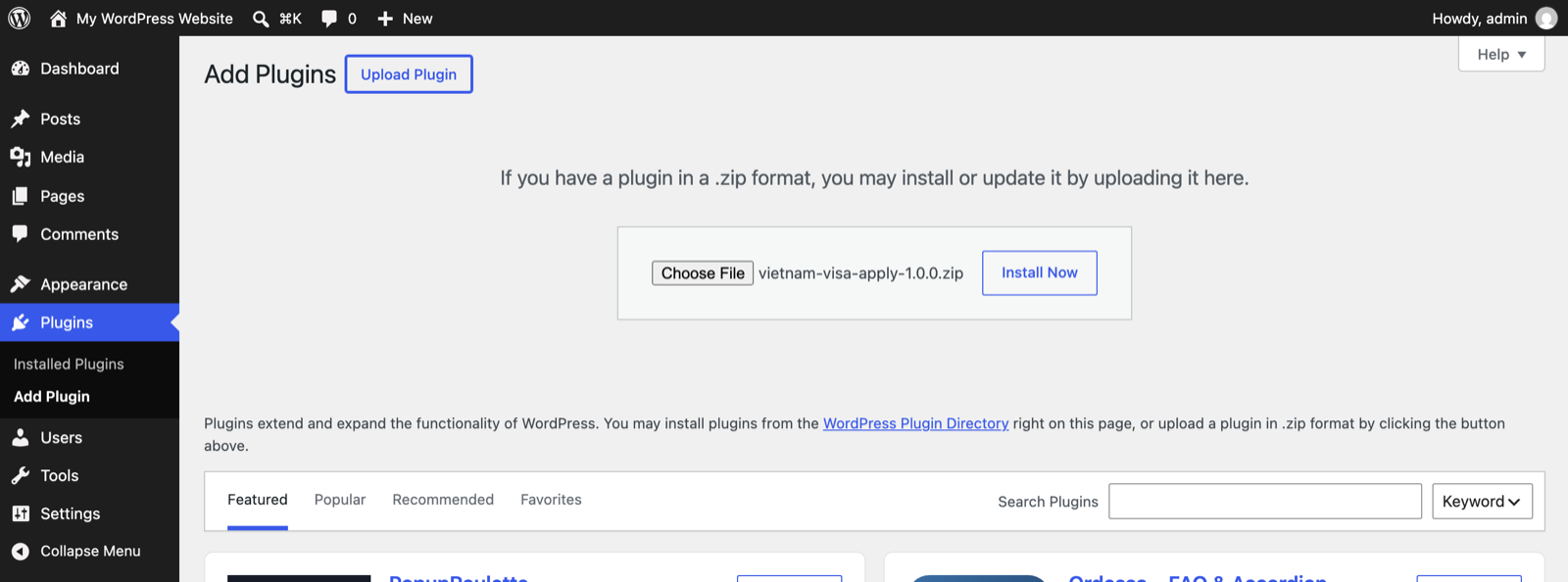
Then press Activate Plugin. It appears in your plugin list like any other.
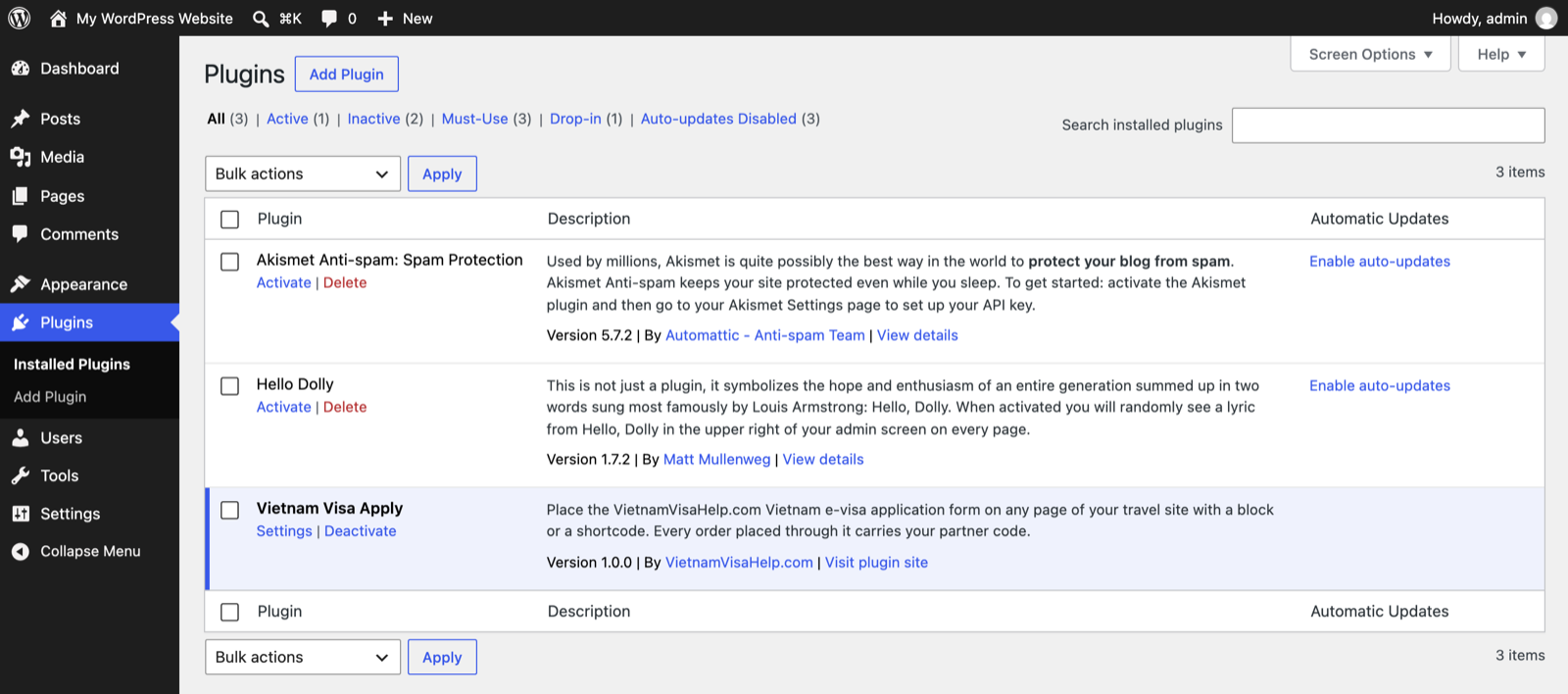
The plugin is not in the WordPress.org directory yet, so searching for it there will not find it — install the zip from your partner page. It updates the same way: upload the new zip over the old one.
Enter your code
Go to Settings → VietnamVisaHelp Apply. Until a code is saved, visitors see nothing where the form is placed, and only administrators see a short reminder — so nothing breaks while you set up.
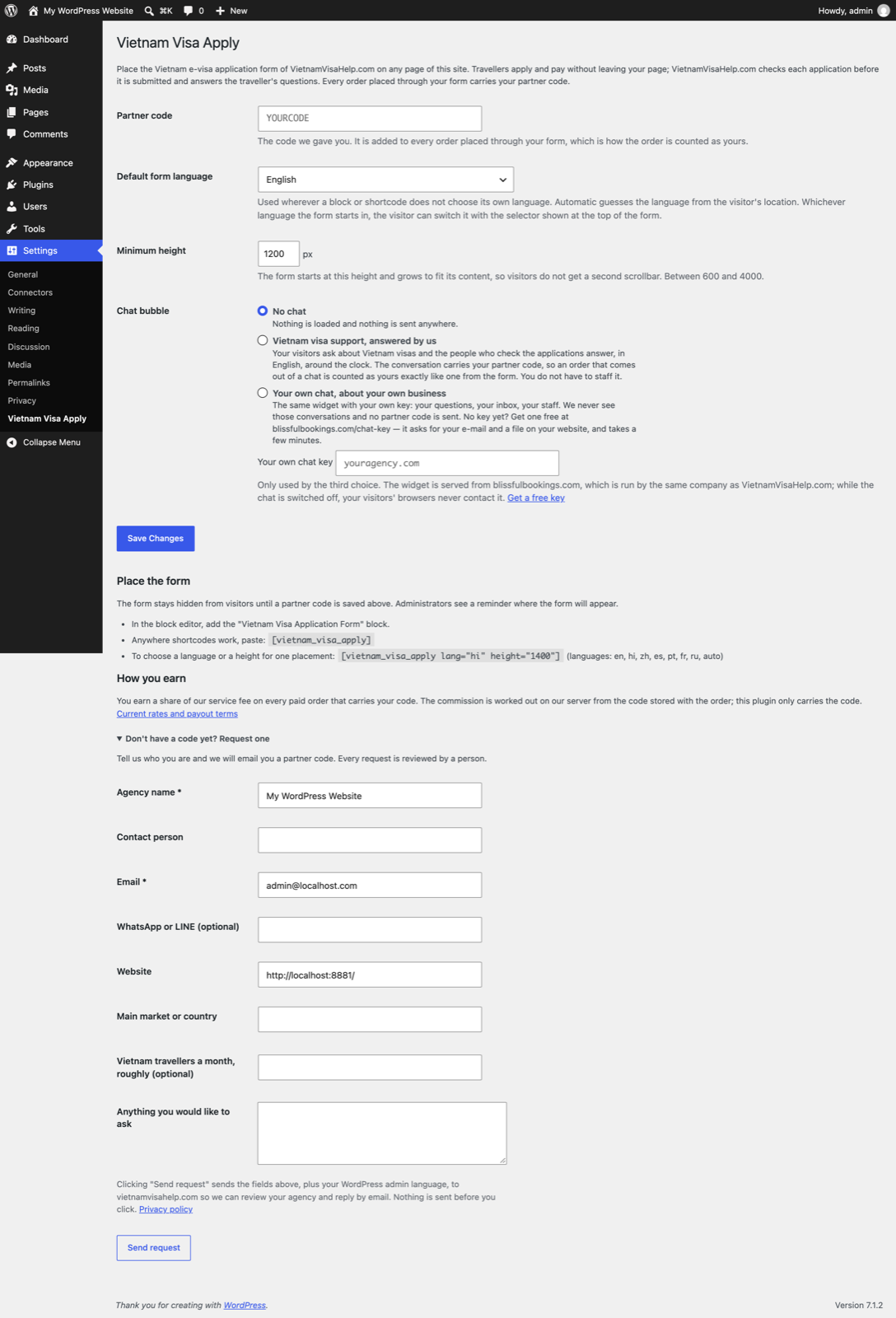
Paste your code into Partner code and press Save Changes. Then press Check saved code: your server asks ours whether the code is live and whose it is. The answer names your agency — that is your proof the attribution works.
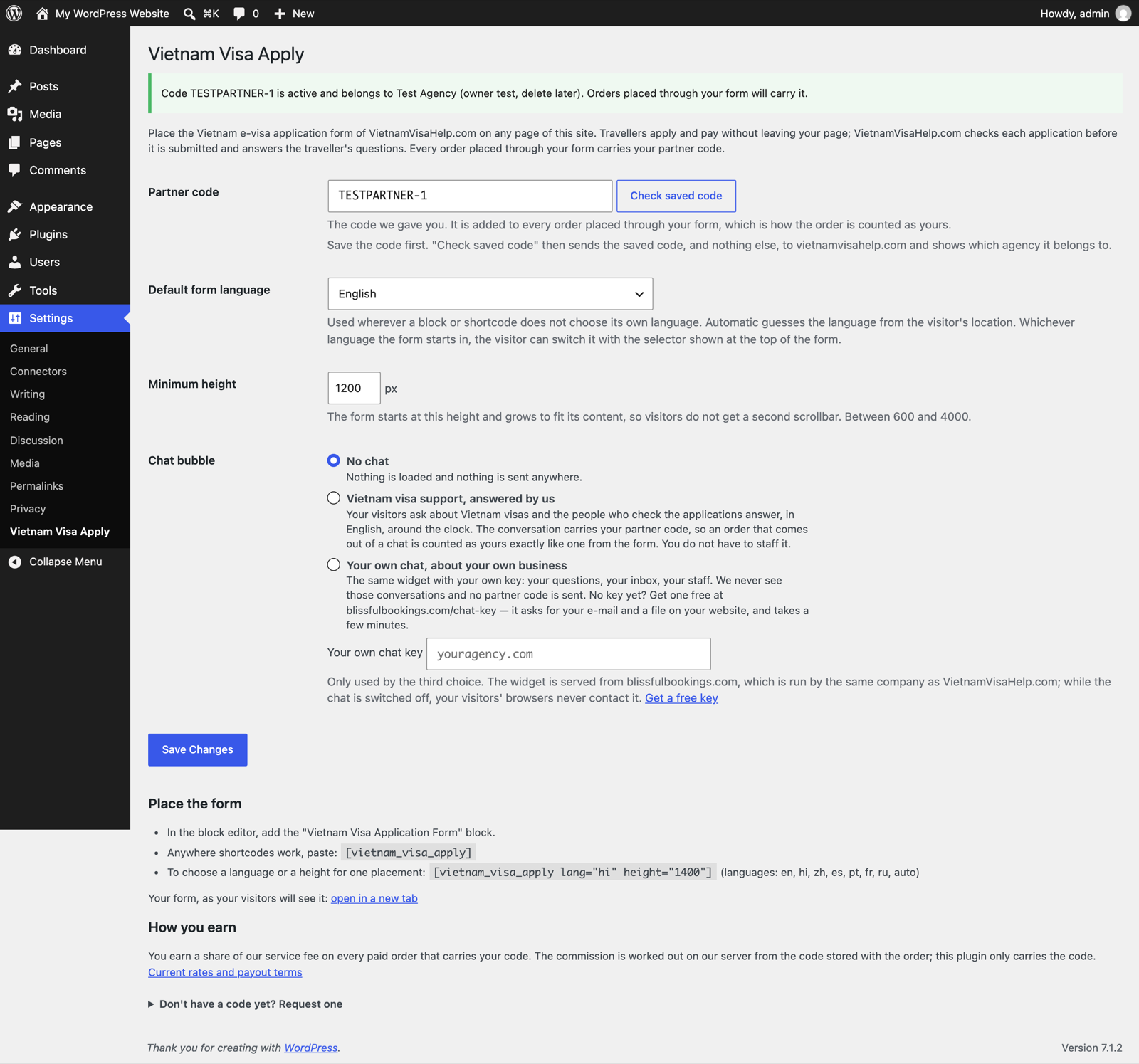
The other two settings
- Default form language — English, Hindi, Chinese (Simplified), Spanish, Portuguese, French, Russian, or Automatic, which guesses from the visitor's location. Whichever language the form starts in, the visitor can switch it at the top of the form.
- Minimum height — the height the form starts at. It grows to fit its content by itself, so visitors never get a second scrollbar inside your page. 1200 px suits most themes.
Chat, if you want it
Off by default: nothing is loaded and nothing is sent anywhere. There are two things it can be, and you choose.
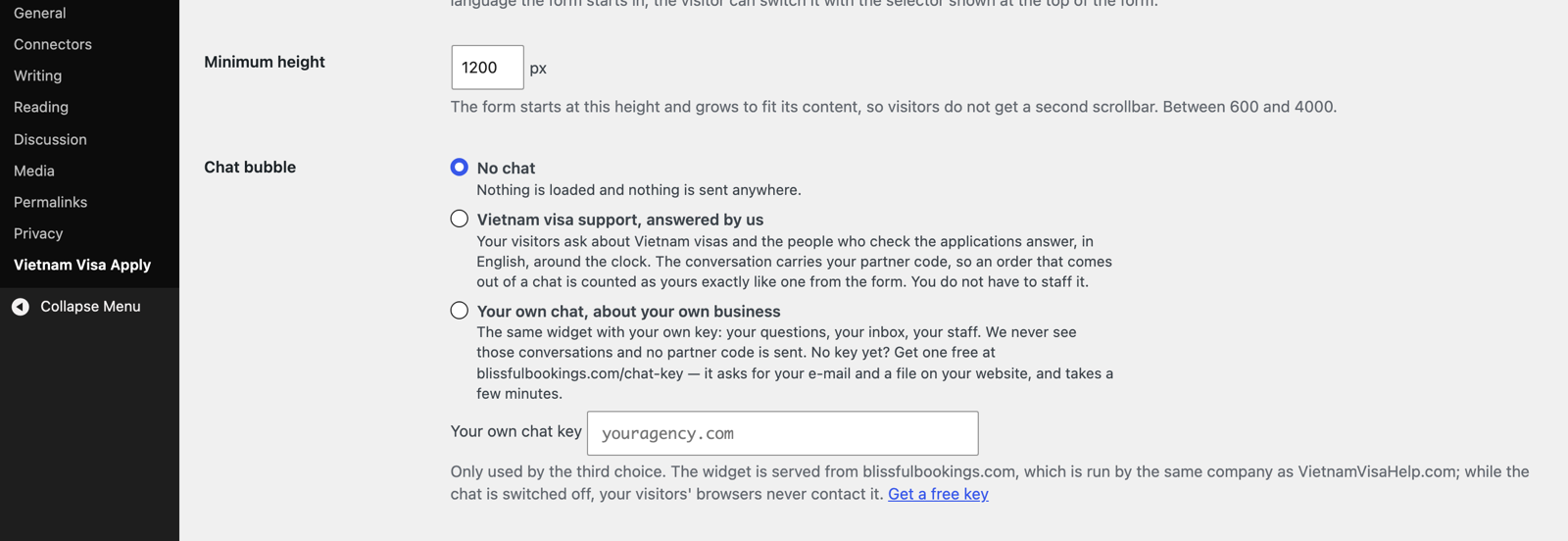
- Vietnam visa support, answered by us. Your visitors ask about Vietnam visas and the people who check the applications answer, in English, around the clock. The conversation carries your partner code, so an order that comes out of a chat is counted as yours exactly like one from the form. You do not have to staff it.
- Your own chat, about your own business. The same widget with your own key: your questions, your inbox, your staff. We never see those conversations, and no partner code is sent, because there is nothing to attribute. No key yet? Get one free at blissfulbookings.com/chat-key — it asks for your e-mail and a file on your website, and takes a few minutes.
If a choice cannot work — visa support without a partner code, or your own chat without a key — the plugin leaves the chat off and tells you why, rather than loading a broken bubble.
Put the form on a page
Edit the page where the form should appear — a "Vietnam visa" page of your own, or your Vietnam tour
page — and add the Vietnam Visa Application Form block. Type /vietnam in
the editor and it comes up.
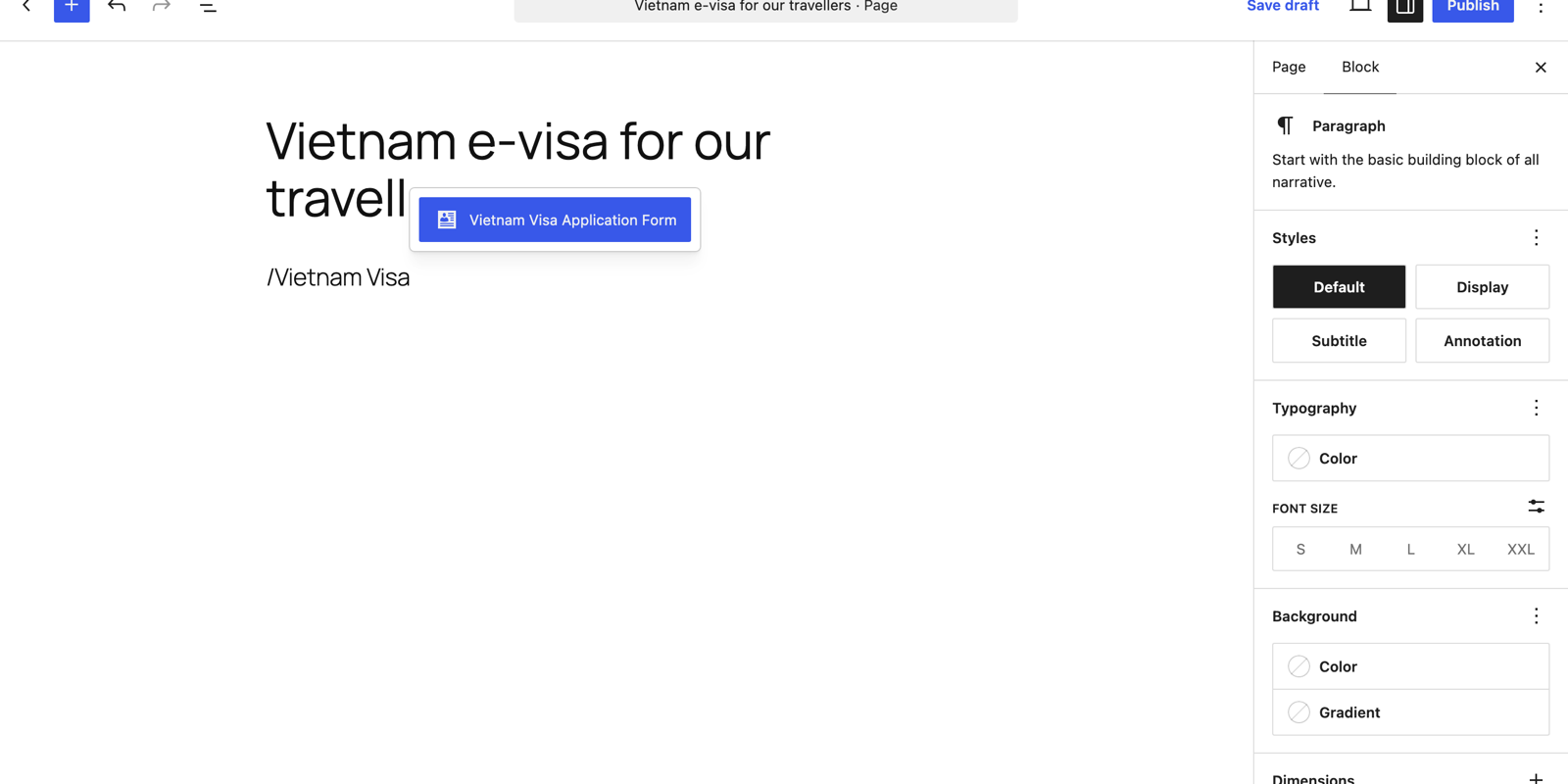
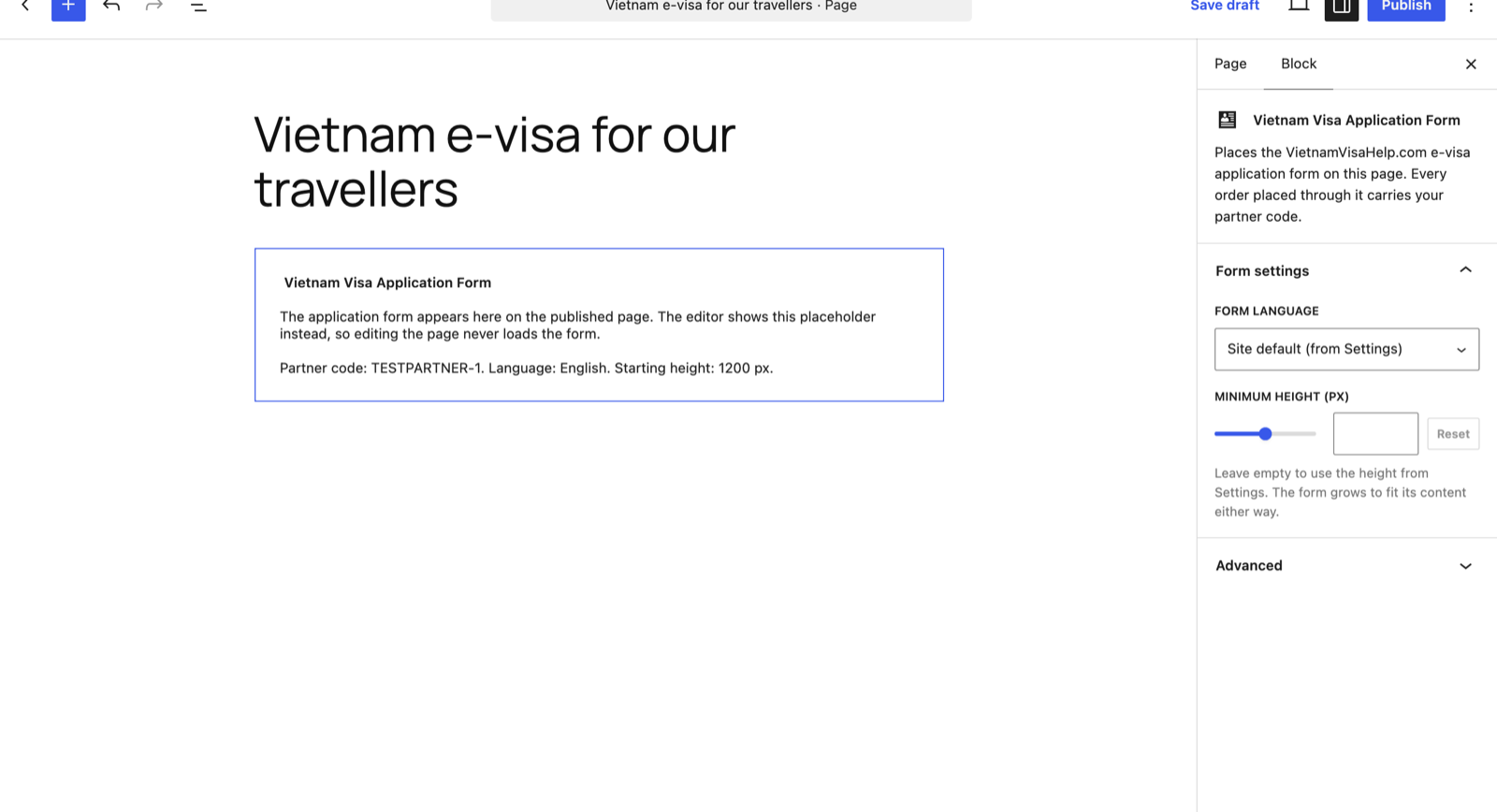
/vietnam in the block editor finds the block.In the editor the block shows a placeholder, so editing a page never loads the live form. The sidebar lets one placement override the language and the starting height; leave them alone to use your settings.
Prefer a shortcode, or using a page builder? Paste [vietnam_visa_apply] anywhere
shortcodes work. To set one placement apart:
[vietnam_visa_apply lang="hi" height="1400"] — languages are
en, hi, zh, es, pt, fr,
ru and auto.
Publish, and this is what your traveller sees — inside your page, under your header:
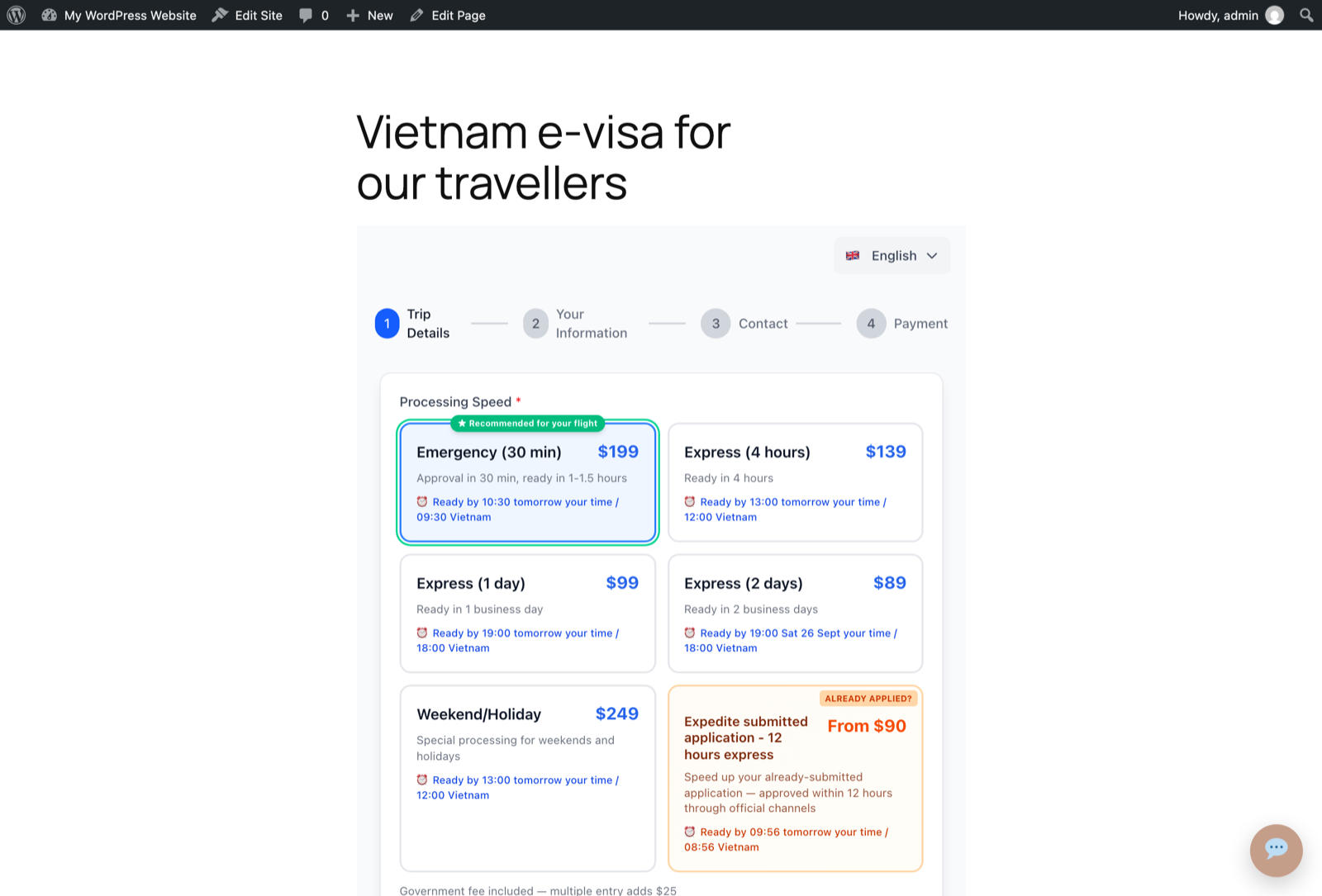
From here the traveller fills in the application, uploads their passport photo and portrait, and pays by card — all inside your page. We check the application before it goes to the Vietnamese e-visa system, and we answer their questions.
If you are not on WordPress
Three other ways to earn on the same code, no plugin needed:
-
A link. Put
?ref=YOURCODEon the address:https://vietnamvisahelp.com/apply?ref=YOURCODE. Works in an e-mail, a WhatsApp or LINE message, a Facebook post, anywhere. Add&lang=hito open the form in a language. - An embedded form on Wix, Shopify or a custom site — the same frame the plugin builds. Ask us and we send the snippet for your domain.
- A banner in your sidebar, linked with your code — 300×250, 728×90 or 320×100, each ready to copy from your partner page with the code already in it.
In every case the code travels on the address and is stored with the order. A traveller who clicks your link today and finishes the application later still counts as yours for 30 days.
One honest note: the link and banner carry rel="sponsored" and the form sits in a frame,
so none of this passes search-engine value to your site. What it gives you is a service your
travellers need and a share of what they pay.
Questions people ask
Where do I see my orders?
On the monthly statement that comes with each payment. The plugin itself has no reporting screen — it never receives order data. If you want a figure between statements, write to us and we will send it the same day.
Is my customers' data sent to you?
Yes — the application is ours to process. It goes straight from the traveller's browser to vietnamvisahelp.com inside the frame; your site never receives, sees or stores passport details or card numbers, and the plugin collects nothing about your visitors. The form page loads third-party services of its own, including Stripe for payment; the plugin adds suggested wording for your own privacy policy under Settings → Privacy.
Does it slow my site down?
Very little. On pages that contain the form the plugin adds one small script, under 2 KB, that sizes the frame. It adds no stylesheet and loads nothing at all on your other pages. The frame itself is lazy-loaded, so the browser fetches the form only as the visitor approaches it.
Can my customer pay inside my site?
Yes. Payment is the last step of the same form and runs inside the frame, so the traveller stays on your page from the first field to the confirmation. Wallet buttons such as Apple Pay may not appear inside a frame on your domain; cards always work.
What if the traveller has already applied and is stuck?
That is a service in the form too: we escalate an application already submitted on evisa.gov.vn, approved within 12 hours through official channels for US$139, within 24 hours for US$99, or within 48 hours for US$69. It carries your code like any other order.
Who are you, exactly?
VietnamVisaHelp.com is a private visa service, not the Vietnamese government and not acting on its behalf. The official portal is evisa.gov.vn, where a traveller can apply alone for the US$25 government fee. What we charge for on top of that is speed, a check of the application before it is submitted, and a person who answers. No one can guarantee approval — that decision belongs to the Vietnam Immigration Department alone.
When something is not right
- Partner e-mail
- partners@vietnamvisaurgent.com
- Partner WhatsApp
- +62 813 2551 7544
- Your partner page
- vietnamvisahelp.com/partners — terms, rates and the snippets with your own code
If the form does not appear on a published page, check three things in this order: the code is saved and Check saved code answers with your agency name; the block or shortcode is on the page you are looking at; and your cache is cleared. If it still misbehaves, send us the page address and we will look at it ourselves.